
CRM that fills itself
Every submission becomes a contact automatically — with what they asked for, the page they were on and the full message attached. Nothing to copy across, nothing to import.
Build a form, share the link or paste one line into your site. Every enquiry lands in your inbox and becomes a contact in your CRM — ready to quote, invoice and chase, without you copying a thing.
Live in minutes · free setup assistance included
Press Send message to see where an enquiry actually goes.
Interactive demo — nothing is submitted or stored.
Most contact forms do one thing: turn a message into an email. After that it is on you — copy the name into a spreadsheet, retype it into an invoice, and hope you remember to follow up. The form was never the hard part.
Every other form builder's diagram ends at the second box. That is where the actual work starts, and it is why you end up paying a second company for a CRM, a third for invoicing and a fourth for bookkeeping.
Fast to start, honest about email, and built to turn an enquiry into an invoice.
Your first form exists before you have chosen anything — name, email, phone, message, already collecting. Then you edit it, on something that already works, instead of designing one from an empty screen.
Notifications and auto-replies go out through your own mail server, so they arrive from your domain and land in the inbox. No shared relay to get blocklisted, and nothing charged per email.
Each submission becomes a CRM contact with the whole enquiry attached, matched on email and phone so a repeat customer is one contact with two notes rather than two rows.
Three steps, and the third one is optional if you do not have a website.
Start from a working form. Add fields, rename them, drag them into order, pick your colour.
Copy the link and put it anywhere — bio, signature, WhatsApp, a QR code on a leaflet.
Got a site? Paste one script tag where you want the form and it draws inside your own page.
The hosted link needs nothing at all — no site, no install, works on a phone. The script tag draws the form inside your own page, in your own layout. And if your designer wants it in their markup, styled with their CSS, you can copy the complete HTML and it still posts to the same inbox.
<script src="https://mybotplus.com/form.js"
        data-form="YOUR_FORM_KEY" defer></script>
One tag, wherever you want the form. That's the whole install.
No website? Share the link instead — the form is hosted here too.
A contact form for a plumber and a contact form for a wedding photographer are not the same form. Add the fields your job needs, put them in the order you want them, and make the ones that matter required.
Reply to the notification email and it goes straight to Priya
Most form builders hand you a list of submissions and stop there. You then pay a second company for a CRM, a third for invoicing, and a fourth for bookkeeping — and spend your evenings copying the same customer between all four. MyBotPlus does the whole run, and does not charge extra for it. It is called +Bot — PlusBot — a button in the corner of every screen, and the plus is the point: add an invoice, add a contact, add income, add an expense, by typing one line.
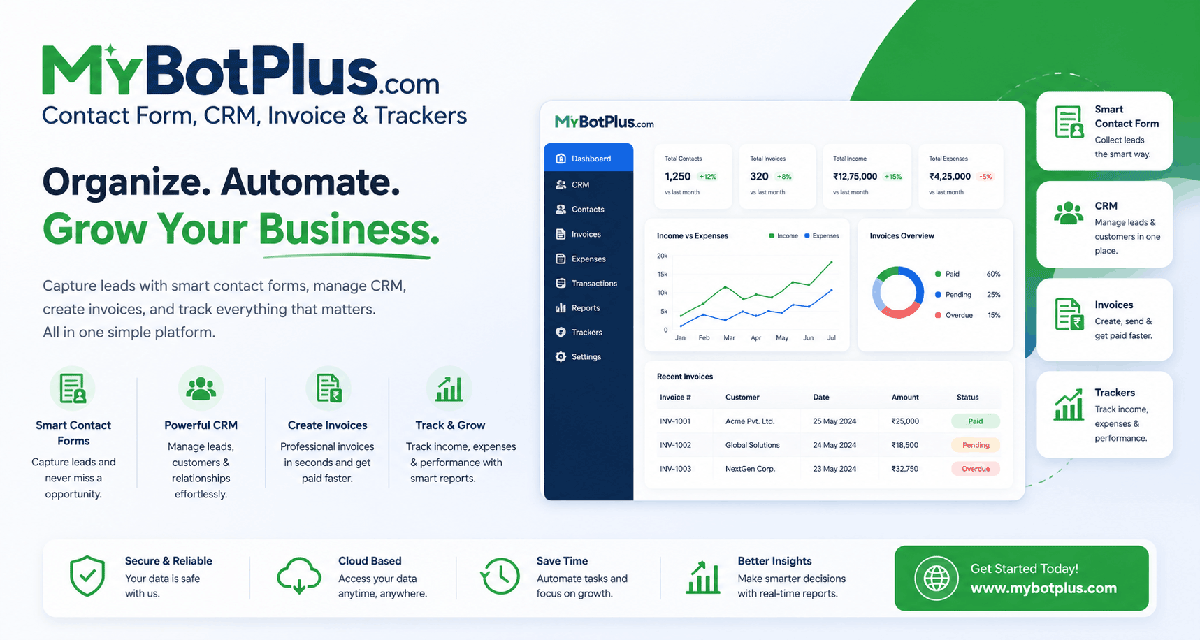
Every submission becomes a contact automatically — with what they asked for, the page they were on and the full message attached. Nothing to copy across, nothing to import.
Type invoice Acme Ltd and your line items. Tax, totals and
the next invoice number are worked out for you, and you get a link the
customer can open on a phone and print. GST, VAT or Sales Tax — labelled
the way your country labels it.
E 500 Petrol, Cash, Fuel logs an expense. Amount first, then
what it was. At month end you get a real profit and loss figure and a CSV
your accountant will accept. Paid invoices log themselves as income.
The reason these are one product rather than four is that they are one job. A stranger sends a message at midnight and you find the money in your books — that is a single line, and software should not make you retype the same person at every step of it.
invoice Acme Ltd with 10% tax
10 x Notebook @ 120
Invoice INV-2026-0007 created
Acme Ltd · Total $1,320.00
Ready to print or send
E 500 Petrol, Cash, Fuel
Expense logged
Petrol — $500.00 · Cash · Fuel
summary
Income $14,200.00
Expense $1,824.00
Profit $12,376.00
Typed commands are free — they never touch an AI
Run your contact forms — and your invoices — entirely as your own. One payment of $30 a year takes the “Powered by MyBotPlus.com” line off your hosted forms, your invoice PDFs and your delivery slips together, across your whole account. Your brand, your forms.
Buy it from Billing once you have an account. It runs on its own yearly clock, separate from your plan.
Start with a 7-Day Free Trial for basic use. The Pro Plan covers everything a growing small business needs, while the Custom Plan provides a dedicated solution tailored for larger organizations. Submissions are unlimited on every plan, and the CRM, invoicing and money tracking are included across the board.
for 7 days, then choose a plan
Seven days of everything. Build forms, collect enquiries, raise invoices and track the money.
or $120/year — save 16%
Everything a small business needs to catch an enquiry and get paid for it.
Prices exclude any local taxes. Need a custom enterprise solution? Talk to us — or see the full pricing breakdown.
The things people ask before they sign up.
E 500 Petrol, Cash, Fuel logs an expense in one line, and invoice Acme Ltd starts an invoice with that customer's details already filled in. +Bot puts five worked examples above the box, so there is nothing to memorise. Typed commands are also free, because they are read by the software rather than sent to an AI.Still unsure? Read the full FAQ or ask us directly.
One form, a link you can put anywhere, and every enquiry lands in a CRM you can quote and invoice from. Free for seven days, no card.
7-day free trial · no credit card · free setup assistance included